

EdgeWrapper · Commerce Engineering
The Inventory Synchronization Problem Across Ecommerce Channels
Why stock numbers disagree the moment you sell on more than one platform, what it costs every month it stays unresolved, and how a master catalog fixes it for good.
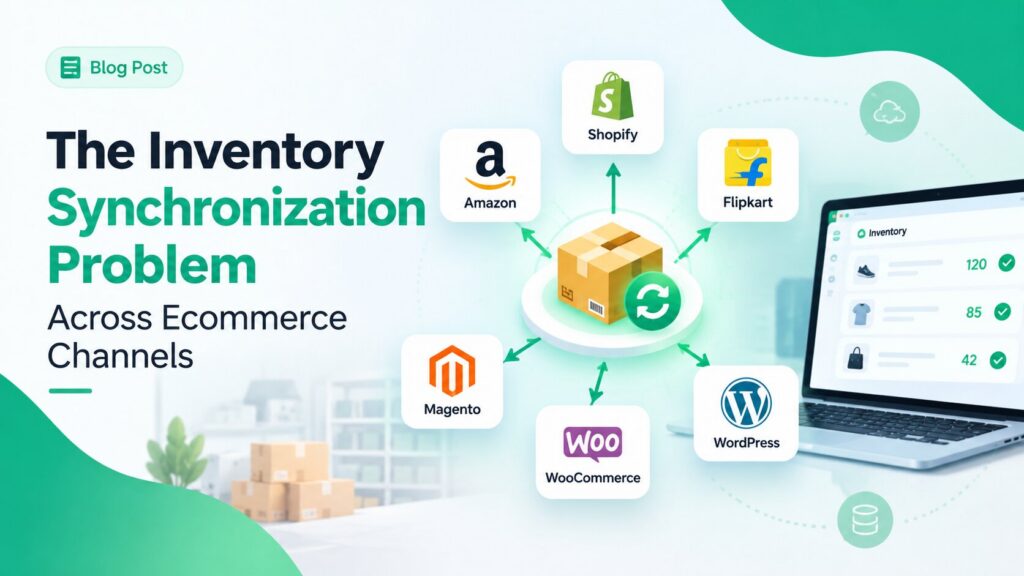
The moment a product is listed on more than one sales channel, stock stops being a single number. It becomes several numbers, held in several systems, updated on several schedules — and the gap between them is where lost sales, cancelled orders, and marketplace penalties live. Selling across Shopify, Amazon, Flipkart, WooCommerce, and Magento at the same time means running five different definitions of “in stock,” each on its own update cycle, each with its own tolerance for being wrong. As catalogs grow past a few hundred SKUs and a few warehouse locations, the gap doesn’t shrink on its own — it widens, because more moving parts means more places for a count to fall out of step.
Why it happens — four structural reasons
Polling instead of push
Many integrations check for changes on a timer — every 15, 30, or 60 minutes — instead of reacting the instant a sale happens.
No shared allocation logic
Without a rule for how one warehouse pool is split across channels, every platform assumes it owns the full count.
Platform-specific stock rules
FBA reservations, Flipkart seller buffers, and backorder settings each redefine “available” in a slightly different way.
Manual entry as the fallback
When automation breaks or doesn’t cover a channel, someone edits a spreadsheet — and spreadsheets don’t catch their own mistakes.
Where the numbers stop matching
These are not edge cases. They are the default outcome of running multiple channels without a shared source of truth.
Overselling on a second channel
A unit sells on Amazon. The Shopify listing still shows it available for another 20–40 minutes because updates run on a batch or polling cycle, not in real time. A second buyer checks out for a product that no longer exists.
Every channel defines “available” differently
Amazon FBA reserves stock for in-transit and pending orders. Flipkart has its own seller-fulfilled buffer rules. Magento treats backorders as sellable unless configured otherwise. The same warehouse count means five different sellable quantities.
Manual CSV updates lag behind demand
Teams pushing daily or twice-daily spreadsheet uploads are always describing yesterday’s stock. On a fast-moving SKU, that gap is enough to sell out three times before the next upload runs.
Phantom stock
A system shows units on hand that a picker cannot actually find — caused by damage, miscounts, or a return that was received but never re-entered. The stock exists on screen and nowhere else, and it gets sold anyway.
Listings and stock drift apart separately
Stock sync and listing sync are usually treated as different jobs, running on different schedules. A price change or variant update on Shopify may not reach Flipkart for days, even while the stock count itself is fine.
Marketplace penalties compound the loss
Amazon and Flipkart both track cancellation rate as a seller-health metric. Every oversell cancellation nudges account standing down, on top of the refund and the lost sale itself.
Bundles and kits multiply the risk
A bundle SKU is only as available as its scarcest component. Without a system that recalculates bundle availability whenever any component sells elsewhere, bundles get oversold constantly.
Stock split across multiple warehouses
A brand fulfilling from two or three locations has to decide which location serves which channel — and recalculate that split every time stock moves, or risk promising delivery from a warehouse that’s already empty.
API rate limits throttle recovery
When a large catalog needs an urgent full resync after an outage, hitting a marketplace’s API rate limit means the fix itself gets queued and delayed — right when speed matters most.
What sync failure actually costs
$1.77T
Estimated annual global cost of inventory distortion — the combined effect of stockouts and overstock across retail, per IHL Group research.
69%
Share of online shoppers who abandon a purchase and buy from a competitor the moment an item shows out of stock.
91%
Shoppers who say they won’t wait around for a restock — they simply go elsewhere for the same product.
43%
Buyers who report they permanently switch to a different brand after just one bad stock-availability experience.
190%
More revenue earned, on average, by sellers running multiple channels well versus staying on a single channel — a gap that only holds if inventory stays accurate everywhere.
34%
Year-over-year growth in Shopify merchant GMV in early 2026 — a reminder that channel volume is scaling faster than most manual sync processes can keep up with.
In practice: a flash sale on three channels
9:00 AM — Sale goes live
A seller runs a 40%-off flash sale on a top SKU, listed on Shopify, Amazon, and Flipkart with 120 units total, tracked as one warehouse pool.
9:14 AM — Amazon sells out
Amazon orders clear the 120 units on its own dashboard. Shopify and Flipkart, updated on a slower polling interval, still show stock available.
9:14–9:40 AM — Oversell window
27 more orders come in across Shopify and Flipkart for stock that is already gone. Each one now needs a cancellation, a refund, and an apology email.
Following week — the account-health cost
Amazon and Flipkart both log the cancellations against seller performance metrics. One good sale day leaves a mark that outlasts the sale itself.
In practice: a return that never came back in stock
Day 1 — Customer returns an item
A WooCommerce customer returns an unopened item. The warehouse receives it and marks it back in stock in the local WMS.
Day 1–9 — The count never leaves the warehouse system
Because returns weren’t included in the original sync scope, the restocked unit updates WooCommerce but never reaches Flipkart, where the same SKU still shows zero stock.
Day 9 — A sellable unit sits idle
The unit sits sellable but invisible on Flipkart for over a week — a lost sale that never shows up as an error, because nothing actually broke. It just was never told to look.
Who this hits hardest
Growing D2C brands adding marketplaces
A brand that started on Shopify and added Amazon and Flipkart usually still runs the process it built for one channel — it just wasn’t designed to hold three.
Marketplace-first sellers
Sellers living or dying by Amazon and Flipkart account health can least afford the cancellation penalties that unsynced stock produces.
Wholesale-plus-retail hybrids
Brands splitting stock between B2B/wholesale portals and B2C storefronts (Magento, WooCommerce) need allocation rules, not just a single shared count.
Large SKU counts with variants
Catalogs with hundreds of size/color variants multiply every sync gap by every variant — a small delay becomes a large, recurring cost.
Without sync, versus with it
Stock updates hourly or on manual upload
Stock updates in real time across every connected channel
Each marketplace has its own product data, edited separately
One master listing in Catalog Hub feeds every channel
Overselling discovered after the order comes in
Available-to-sell quantity is enforced before the order is accepted
Returns and warehouse adjustments update one system at a time
Returns and adjustments flow back into Catalog Hub and out to every channel
Bundles oversold because component stock isn’t recalculated
Bundle availability recalculates automatically from live component stock
Adding a new channel means rebuilding the process
New channels plug into the same Catalog Hub master listing
How EdgeWrapper solves it
Catalog Hub: one master listing, five synced channels
EdgeWrapper provides multiplatform commerce engineering for sellers running Amazon, Flipkart, Shopify, WooCommerce, and Magento at once. At the center is Catalog Hub, EdgeWrapper’s master sync module. Every product is created once as a master listing inside Catalog Hub — images, descriptions, variants, pricing, and stock — and from that single master record, a platform-specific listing is generated and kept live on each connected channel.
Because every channel listing traces back to the same master record, a stock change on any one platform updates Catalog Hub first, and Catalog Hub then pushes the corrected available-to-sell number out to every other connected channel. Nothing is edited five times in five places — it’s edited once, in one place, and distributed everywhere it’s needed.
Amazon
Master listing synced through Amazon’s Selling Partner API, respecting FBA reservation logic.
Flipkart
Master listing pushed via the Flipkart Seller API, mapped to Flipkart’s category and listing template rules.
Shopify
Real-time updates via the Shopify Admin API and webhooks, so a storefront sale reaches Catalog Hub instantly.
WooCommerce
Connected through the WooCommerce REST API, covering multi-location stock and variable products.
Magento
Synced through Magento’s REST/GraphQL APIs, supporting multi-warehouse source assignment.
The Catalog Hub sync workflow
Six steps, running continuously rather than on a schedule.
1
Create the master listing in Catalog Hub
Every SKU, variant, image, and attribute is set up once as the master product, resolving naming and category mismatches between platforms upfront.
2
Publish to each platform
Catalog Hub generates a platform-specific listing from the master record on Amazon, Flipkart, Shopify, WooCommerce, and Magento, mapped back to that master SKU.
3
Sync stock in real time
A sale, return, or warehouse adjustment on any channel updates Catalog Hub immediately, and every other channel receives the new available-to-sell number within seconds.
4
Apply allocation rules
For sellers splitting stock across warehouses or channels, Catalog Hub applies configured allocation and buffer rules instead of assuming every channel owns the full count.
5
Push listing updates automatically
Price, description, image, and variant changes made once in Catalog Hub propagate to every connected storefront and marketplace, keeping listings and stock consistent together.
6
Reconcile and flag discrepancies
Scheduled reconciliation compares Catalog Hub’s master count against what each channel actually reports, surfacing phantom stock and mismatches before they turn into oversells.
Common questions
How fast is “real time” in practice?
Stock changes typically reach every connected channel within seconds of the triggering sale, return, or adjustment, subject to each marketplace’s own API responsiveness.
Can different channels sell from different warehouse locations?
Yes. Catalog Hub supports allocation rules so a channel can be limited to a specific warehouse or share a pooled count with defined buffers.
What happens if a marketplace API is down?
Updates queue and retry automatically, then reconcile against the master record once the channel is reachable again, rather than being silently dropped.
Does this work for bundles and kits?
Bundle SKUs are tied to their component SKUs in Catalog Hub, so bundle availability is recalculated automatically whenever any component’s stock changes.
How long does it take to onboard a new channel?
Because the master catalog already exists in Catalog Hub, adding a new channel is a connection and mapping exercise, not a rebuild of the whole process.
Selling on more than one channel shouldn’t mean guessing at your own stock levels.
EdgeWrapper connects Amazon, Flipkart, Shopify, WooCommerce, and Magento to a single master listing in Catalog Hub, and keeps inventory, listings, and stock sync running continuously across all of them.
Talk to EdgeWrapper about Catalog Hub

Best mobile experience I have had in a long time. The graphics are sharp and the gameplay is addictive. Love everything about mgbetapk.